Specialist Tools - Rhino.Inside.
Rhino.Inside.AutoCAD embeds the full Rhinoceros 3D geometry engine and Grasshopper visual programming environment directly into AutoCAD. Design complex NURBS surfaces, run computational workflows, and exchange geometry bidirectionally - without file exports, coordinate misalignment, or context switching.
Requires Rhino 8 + AutoCAD 2024 | 2025 | 2026

Developed in official collaboration with Robert McNeel & Associates
Creators of Rhino 3D, Grasshopper, and the open-source Rhino.Inside® technology.
Help shape the roadmap. Rhino.Inside.AutoCAD is an active open-source initiative. We encourage you to join the community to report issues and suggest features for the next release.
Quick Start
Once installed, the plugin integrates natively into the AutoCAD interface. Follow these steps to begin your first session.
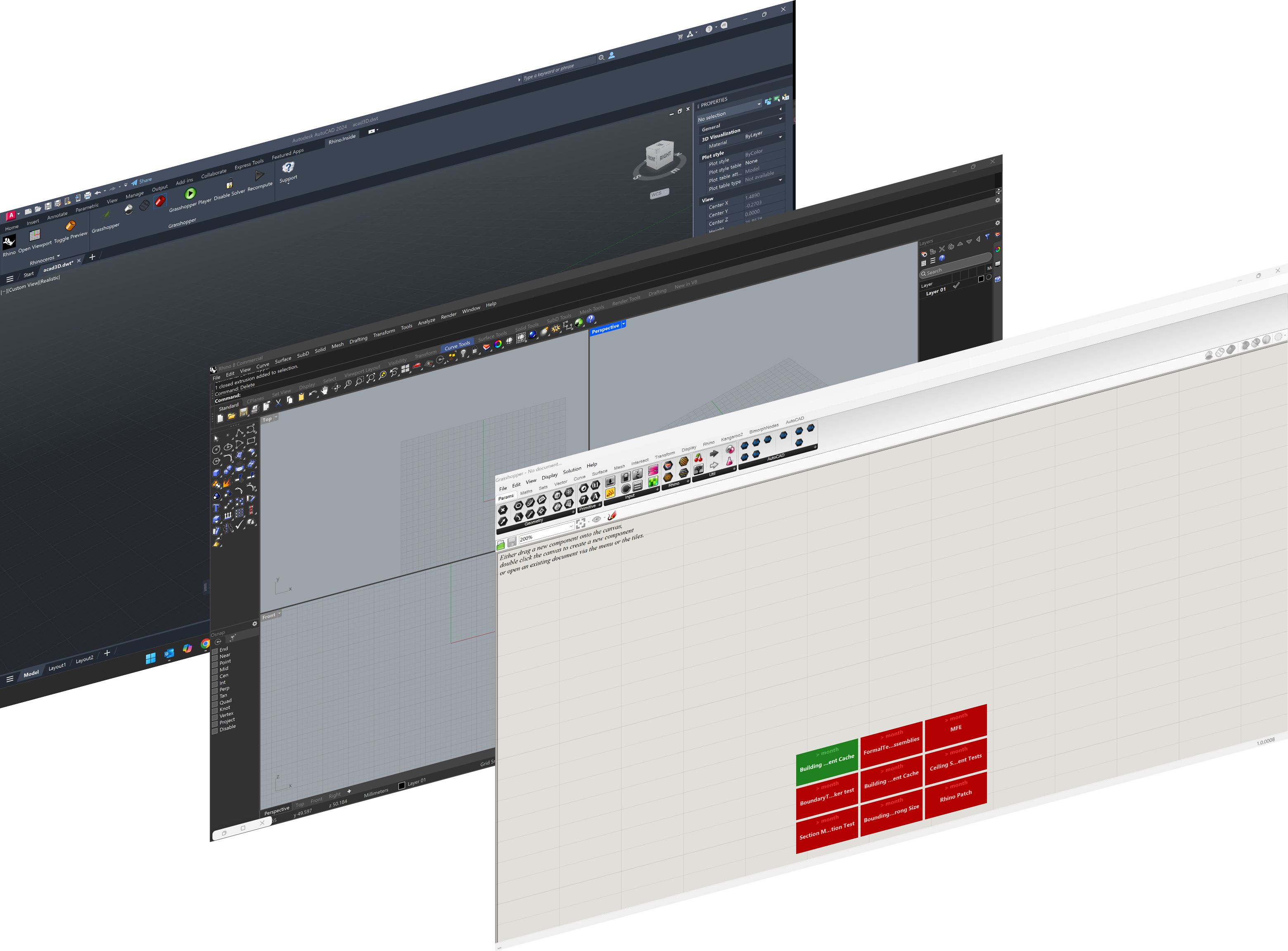
Key Capabilities
Access the full power of Rhino and Grasshopper without leaving AutoCAD. Build parametric definitions that interact directly with your design files.
Core Features
- Full Rhino Geometry Engine. Access Rhino's complete NURBS modeling kernel from within AutoCAD, including surface analysis, curve operations, and mesh tools.
- Grasshopper Integration. Build and execute visual programming definitions that read from and write to AutoCAD documents in real time.
- Live Viewport Preview. See Grasshopper geometry rendered in the AutoCAD viewport before committing to the drawing.
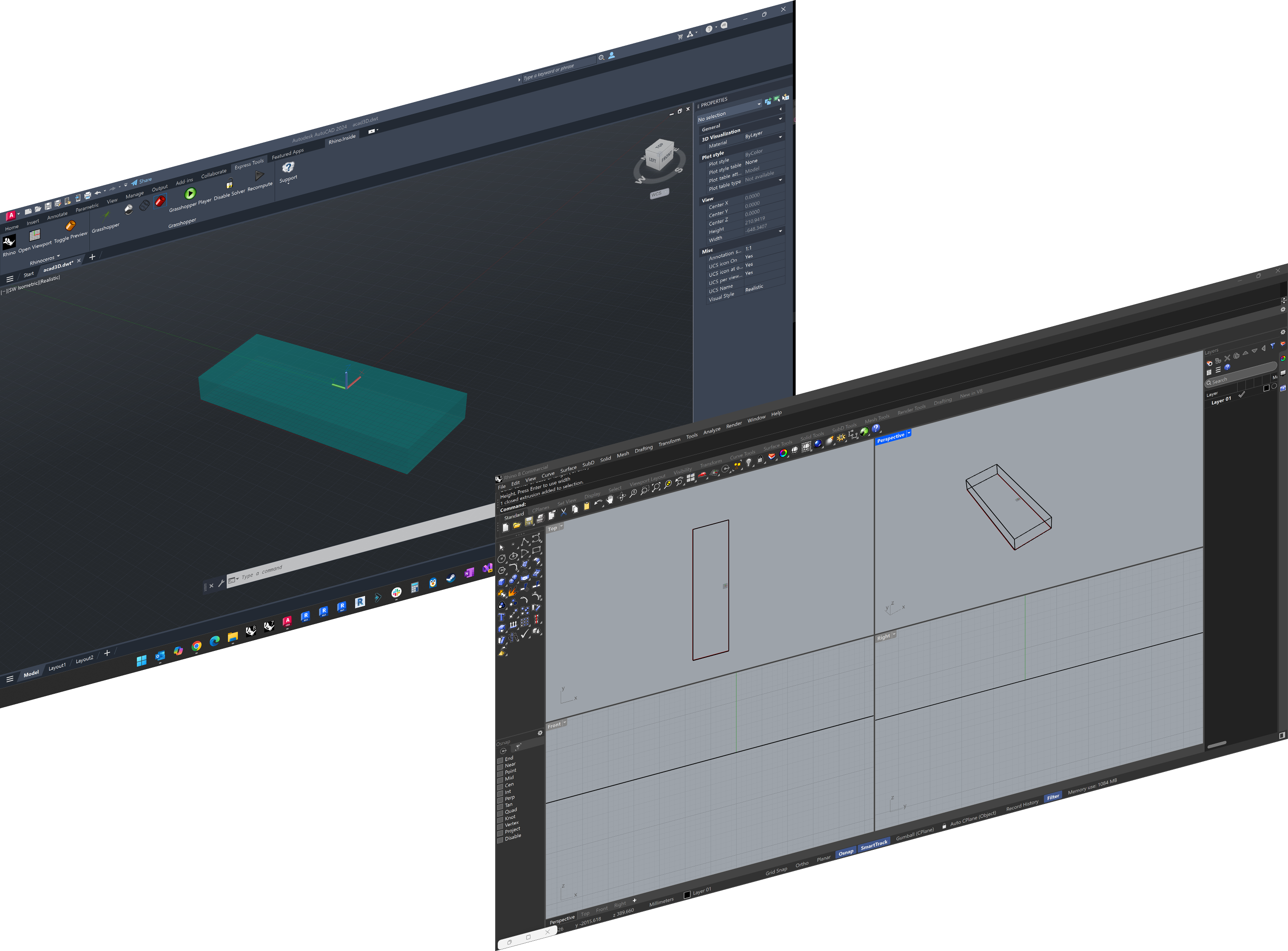
Bidirectional Geometry Exchange
Convert curves, surfaces, meshes, solids, text, dimensions, hatches, and leaders between Rhino and AutoCAD formats with explicit conversion components.
Document & Block Access
- AutoCAD Document Access. Query and manipulate layers, layouts, linetypes, block definitions, and document properties through Grasshopper components.
- Block Definition Support. Create, query, and manipulate block definitions and references, including dynamic block properties.
- Bidirectional Conversion. Transform geometry seamlessly in both directions with full fidelity.
Technical Reference - Core Concepts
Rhino.Inside.AutoCAD loads Rhino's geometry kernel directly into AutoCAD's process space. This architecture eliminates file-based workflows and enables real-time geometry exchange between both applications.
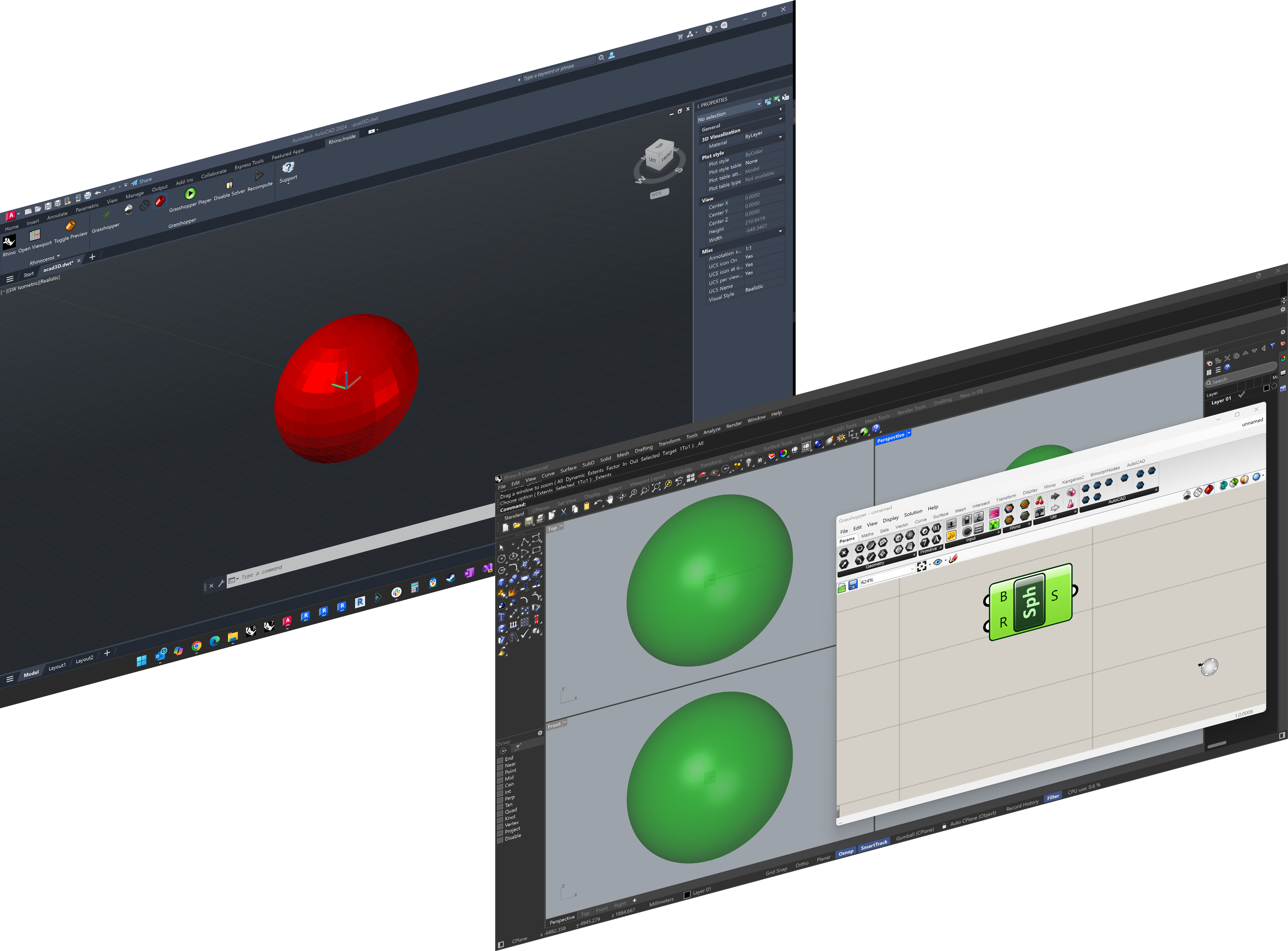
How It Works
Rhino and Grasshopper run directly inside AutoCAD, so there's no need to export or import files between applications.
Key Benefits
- In-Memory Geometry Transfer. No intermediate files; geometry flows directly between applications.
- Unified Coordinate System. Both applications operate in the same coordinate space with automatic unit conversion.
- Full Platform Access. Grasshopper components can work with both Rhino and AutoCAD features within a single definition.
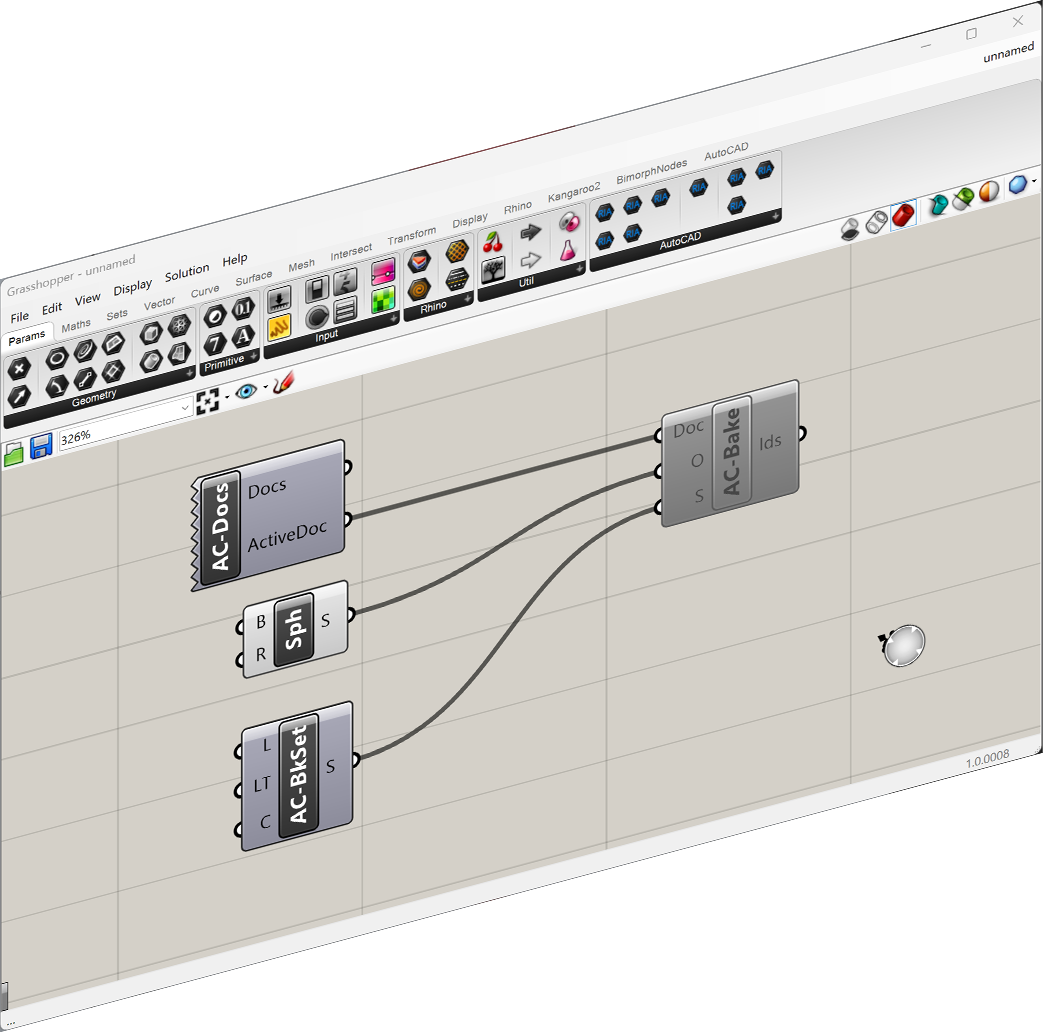
From Grasshopper to AutoCAD
Geometry created in Grasshopper exists in memory until explicitly "baked" to AutoCAD:
- 1.Create - Generate geometry using standard Grasshopper components
- 2.Convert - Transform Rhino geometry to AutoCAD format
- 3.Configure - Assign layer, colour, and linetype via Bake Settings
- 4.Bake - Commit geometry permanently to the AutoCAD drawing
- 5.Track - Receive ObjectIds for downstream operations
Supported Types
Rhino.Inside.AutoCAD provides explicit conversion components for transforming various geometry and entity types between the two platforms.
| Rhino Type | AutoCAD Type | Conversion Component |
|---|---|---|
Curve | CurvePolylineArc | To/From AutoCAD Curve |
Point3d | DBPoint | To/From AutoCAD Point |
Mesh | PolyFaceMesh | To/From AutoCAD Mesh |
Brep | Solid3d | To/From AutoCAD Solid |
Hatch | Hatch | To/From AutoCAD Hatch |
TextEntity | DBTextMText | To/From AutoCAD Text |
Leader | MLeader | To/From AutoCAD Leader |
Dimension | Dimension | To/From AutoCAD Dimension |
API Reference
Coming soonFull API documentation is in development. Join the to be notified when component documentation, example definitions, and tutorials become available.
Document
Access active documents, transactions, and object identifiers.
- -Get Documents
- -Transaction Manager
- -Object Id
- -Database Events
Baking
Commit memory-resident geometry to the AutoCAD database.
- -Bake to AutoCAD
- -Bake Settings
- -Layer Assignment
- -Linetype Mapping
Blocks
Query and manipulate block definitions and references.
- -Block Table Records
- -Block References
- -Attribute Extraction
- -Dynamic Properties
Layers
Programmatic control of layer states and properties.
- -Get/Set Layers
- -Layer State Manager
- -Color/Linetype Assignment
Layouts
Manage paper space layouts and viewports.
- -Layout Manager
- -Viewport Creation
- -Plot Settings
Conversion
Explicit geometry conversion pipeline.
- -To AutoCAD
- -To Rhino
- -Unit System Mapping
Developer Resources
Access the source code, report issues, and connect with the community.
Need a custom Rhino.Inside implementation?
We build custom integrations of Rhino.Inside, Grasshopper definitions, and AutoCAD automation tailored to your specific infrastructure.